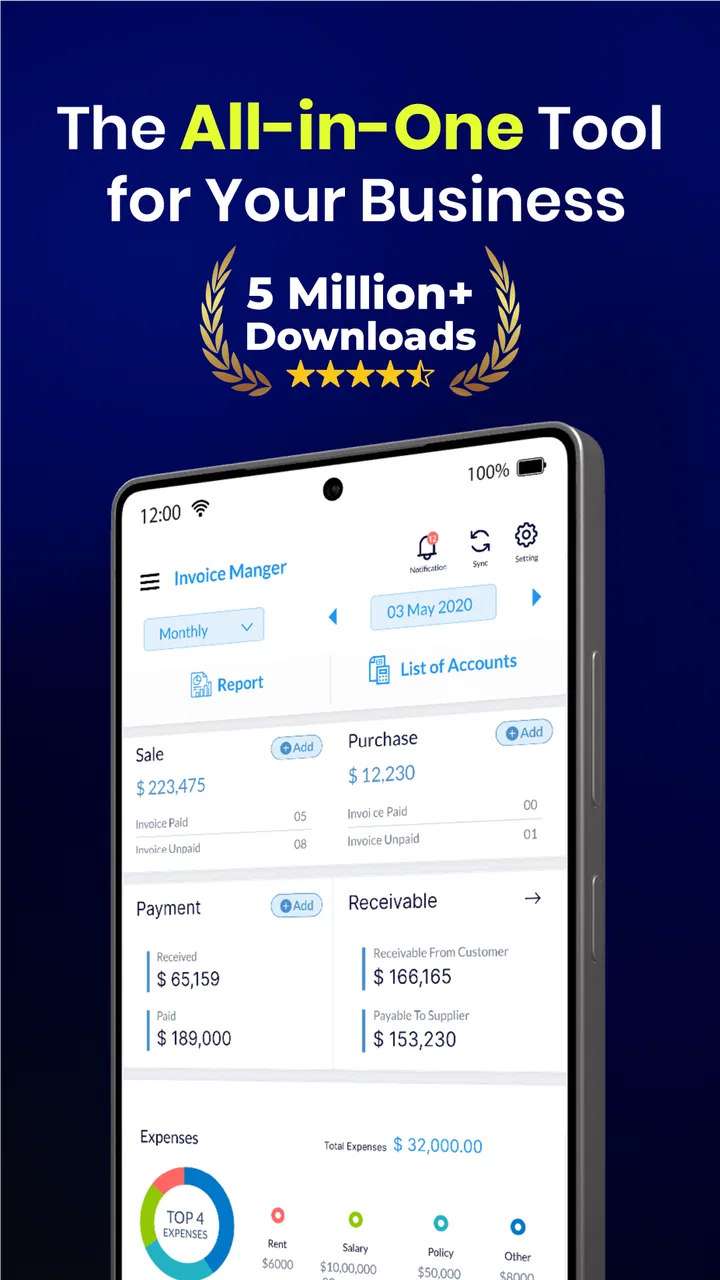
Simple Invoice Manager
- 4.7
- Rating
- 5.00M
- Installs
- Free
- Price

 Analysis by App-foxy
When I first opened Simple Invoice Manager, I understood its appeal immediately: it is built for the moment when a small business owner needs to create an invoice without turning billing into a separate project. I tested it with the mindset of someone who sends occasional bills, follows up on unpaid work, and wants receipts to look respectable without learning complicated accounting software. That focus makes the app approachable, but it also defines its limits. It is a practical business tool, not a complete replacement for every financial system.
Developed by Tacktile Systems Private Limited, this free Android app sits in the business category and has grown into a widely used option, with over 5 million installs and a 4.7 average from around 37 thousand ratings. Those figures suggest that the basic workflow works for a large audience, but popularity alone does not decide whether an app deserves a permanent place on my phone. The more important question is whether it remains useful after the first few invoices, when the novelty has disappeared and everyday maintenance begins.
From the first invoice to a dependable monthly habit
I find that a billing tool earns its place not by making one invoice quickly, but by helping me handle the next one with the same care. This section looks at how a simple first workflow can grow into a monthly routine, and why a little consistency with client and service details pays off when I need to review past work.
You May Also Like

 Google Keep - Notes and lists
Google Keep’s Quiet Growth Shows the Appeal of Simpler Notes
As mobile work gets busier, Google Keep keeps winning a simple contest: capture a thought quickly, find it later, and get on with the day.

 Blood Strike: 2.5 Anniversary
Blood Strike’s Loadouts Turn Every Drop Into a Tactical Gamble
A close look at Blood Strike’s custom loadouts: how fast access to signature weapons reshapes its battle royale rhythm, rewards preparation, and narrows the gap between fights.

 Pandora - Music & Podcasts
Pandora’s Music Is Easy to Start, but Harder to Recover
Pandora’s strength is its low-effort path from a seed to a station. Its weak spot is how much confidence it asks you to place in connection, setup, and quiet recovery.

 8 Ball Pool
 Is Built on Rivalries, Rematches, and Routine
A close look at the rivalries, rematches, shared routines, and unanswered safety questions that turn a quick pool match into a persistent mobile community.

 Samsung Music
’s Quiet Strength Is Playing What You Already Own
Its reach comes less from spectacle than from dependable access to a personal library. That simplicity is both the app’s strongest retention engine and its ceiling.

 AccuWeather: Weather Radar
AccuWeather Review: A Quick, Clear Forecast for Everyday Decisions
For everyday plans, the best forecast is the one you can understand quickly. AccuWeather makes rain timing, radar, and local conditions easy to act on, with a few trade-offs.
More From Our News Desk



Why the first week feels easy
The strongest part of the experience is the short path between opening the app and doing something useful. A freelancer can think in terms of a client, a service, an amount, and a payment status rather than in terms of accounting theory. That distinction matters when you are standing in a workshop, leaving a customer meeting, or finishing a job late in the evening. The app’s short description calls it a simple invoice manager, and that simplicity is most convincing when the task is straightforward.
I also like the psychological effect of having billing separated from casual messages and handwritten notes. A proper invoice gives a customer something they can review, save, and use as a reference. It gives the person issuing it a clearer record of what was requested and when. The store summary also emphasizes payments and receipts, so the app is aimed at more than merely typing a document: it belongs in the small cycle from charging a client to recording the result.
For a one-person operation, this can remove a surprising amount of hesitation. Instead of postponing an invoice because a spreadsheet feels too formal or a full accounting package feels excessive, I can treat billing as a repeatable phone task. That is the first-week appeal: the app makes a professional-looking administrative action feel less intimidating.
A realistic everyday workflow
Imagine a freelance photographer who finishes a small event on Friday. On the way home, she opens the app, selects the client, adds the service, checks the total, and issues the invoice while the details are still fresh. After the client pays, she can return to the same billing trail and create or keep the relevant receipt. That workflow is more reliable than searching through chat messages weeks later and trying to reconstruct what was agreed.
A repair technician could use it differently. After visiting a customer, the technician might separate labor from materials, prepare the bill before driving to the next appointment, and use the payment record to avoid relying on memory. A tutor, consultant, designer, or home-based seller can benefit in the same way, especially when there are many small transactions rather than a few large contracts.
My practical advice is to create a consistent naming habit from the beginning. Use the same spelling for a client every time, keep service descriptions recognizable, and avoid making one-off labels that will be hard to understand later. An invoice app becomes much more useful when its records remain readable after several weeks. The software can support organization, but it cannot fix inconsistent input.
What makes it different from a spreadsheet
A spreadsheet is flexible, but that flexibility is also its weakness for quick billing. You have to decide how the document should look, maintain formulas, protect the right cells, and make sure a copied template does not carry an old client’s information into a new invoice. Simple Invoice Manager approaches the problem from the opposite direction. It gives the billing task its own home, which reduces the number of decisions I need to make before sending a charge.
That does not make it automatically superior. A spreadsheet is better when I need unusual calculations, detailed project costing, custom reporting, or a highly specific layout. It can also fit neatly into an existing office workflow. The app is more attractive when the priority is speed and repeatability: create a clean bill, keep track of payment-related paperwork, and move on to the actual work.
Useful beyond issuing a bill
The less obvious value is the reduction of scattered information. Many small operators do not need a complex ledger, but they do need to remember which customer was billed, what the charge covered, and whether the transaction was completed. Keeping those steps close together is useful when a customer asks for a copy, when I need to check a past service, or when I am preparing my own records.
I would still treat the app as one part of a financial routine rather than the entire routine. I would regularly transfer important totals into whatever bookkeeping or tax process I already use. That habit prevents a common mistake: assuming that an invoice record, by itself, is the same thing as full accounting. The app can make the front end of billing easier, but responsible financial management still requires review.
Where the first impression needs caution
Simple does not mean effortless in every situation. The moment a business has complicated tax rules, multiple staff members, inventory, recurring contracts, or detailed expense tracking, a lightweight invoice tool may feel narrow. I would not choose it as the only business system for a growing company that needs deep financial controls or coordinated access across a team.
There is also a difference between creating a professional invoice and managing the entire customer relationship. The app can support the transaction, but it does not remove the need to communicate clearly, confirm the agreed work, check payment status, and follow up politely. If someone expects a built-in sales pipeline, advanced analytics, or a full accounting dashboard, a dedicated business platform may be a better long-term investment.
The monthly test: does it earn a permanent place?
After the first few uses, the question changes. I am no longer asking whether the app can produce an invoice; I am asking whether it saves enough effort to justify opening it every month. For occasional freelancers, the answer depends on whether they value consistency more than maximum flexibility. If I send only one or two invoices a year, a reusable document might be enough. If I bill clients every week, a dedicated workflow becomes much easier to defend.
The app’s free price is important here. It lowers the risk of building a routine around it, while optional in-app purchases range from $3.11 to $24.99 per item. I would examine those optional costs against how often I invoice and which capabilities I actually need before paying. A free starting point is useful, but the right decision is not simply “free versus paid”; it is whether the paid path removes a recurring annoyance that affects my work.
For a small service business, the recurring value comes from repetition. The same basic actions happen again and again: identify the customer, describe the work, calculate the charge, issue the document, and keep the payment trail understandable. An app that makes those actions predictable can remain valuable even when it is not exciting. In fact, boring reliability is exactly what I want from billing software.
Maintenance is the real measure of usefulness
Every invoice app creates a small maintenance responsibility. Client details need to stay accurate, old entries need to remain understandable, and payment information needs to be reviewed instead of forgotten. I would set aside a short monthly check rather than waiting until tax preparation or a customer dispute forces a rushed search through old records.
One useful habit is to review unpaid work at the same time each month. That turns the app from a document generator into a prompt for better business discipline. Another is to use descriptions that explain the work without becoming a paragraph. “Website revision,” “two-hour consultation,” or “equipment repair” is easier to recognize later than an internal abbreviation that made sense only on the day of the job.
I would also avoid treating every invoice as a fresh design exercise. The strength of this kind of app is consistency, so repeated services should use stable wording and a familiar structure. That makes the records easier for customers to understand and easier for me to compare. The trade-off is that people who enjoy highly customized documents may find a focused mobile tool less satisfying than a desktop template system.
Small frictions that can become tiring
The main source of fatigue is repetition without enough structure. If I have many clients with similar names, several service variations, or frequent partial payments, entering and checking everything on a small screen can become tedious. A phone is convenient for quick work, but it is not always the best place to review a large history or inspect many transactions side by side.
Another possible strain is the boundary between invoicing and bookkeeping. I may feel organized after generating documents, yet still need another process for expenses, taxes, bank reconciliation, or business reporting. That is not a flaw in a simple invoice manager so much as a reminder to choose tools according to the whole workflow. The app is strongest at the customer-facing billing stage, not as a universal financial command center.
Optional purchases can also affect the long-term feeling of simplicity. I would use the free experience long enough to identify a genuine limitation before buying anything. Paying to remove a problem I encounter every week can be reasonable; paying because a feature sounds useful in theory is harder to justify for a very small operation. The app’s value should be judged by saved time, not by the number of available options.
Who should build a habit with it?
I think it is a strong match for freelancers, independent tradespeople, consultants, tutors, and small service providers who need professional billing without a large setup. It is particularly suitable for someone moving away from handwritten bills or improvised documents and looking for a repeatable mobile routine. The Everyone content rating also makes it broadly approachable for general business use.
I would be more cautious if the work involves a team that needs shared financial administration, complex stock management, detailed tax treatment, or extensive reporting. In those cases, a full accounting service or business management platform may be the better foundation, with a separate invoice app adding little. Companies that already have a well-maintained spreadsheet and automated document process may also gain less from switching.
Keeping the routine useful after novelty fades
The current version is 5.0.82, and the app has been available since Aug 21, 2014. For me, that long presence matters less as a badge than as a sign that the product belongs to an established category of everyday business tools rather than a short-lived experiment. Still, longevity does not remove the need to maintain my own records or to check that the workflow continues to suit the business.
I would make the app part of a simple monthly sequence: review recent invoices, confirm which payments arrived, follow up on overdue work, and preserve any records needed elsewhere. That sequence is more important than opening the app whenever I remember. The lasting benefit comes from turning billing into a calendar habit, not from expecting the software to manage my business automatically.
My long-term verdict
After the initial convenience wears off, Simple Invoice Manager still makes sense for the person it is designed to serve: someone who wants a focused way to invoice clients, handle payment-related records, and keep receipts more professional than an improvised message. I appreciate that it does not require me to adopt a complete accounting mindset just to charge for a small job.
My recommendation is strongest for solo workers with a steady but manageable flow of clients. I would start free, establish consistent client and service naming, review the records monthly, and only consider in-app purchases when a recurring need makes the cost worthwhile. That approach keeps the app practical instead of turning it into another subscription or administrative distraction.
For a larger operation or a business with complex financial demands, I would choose a broader accounting solution. For everyone else, this app earns lasting space by doing something modest and useful: it makes the boring part of getting paid easier to repeat. Its best feature is not novelty but a dependable billing habit.
FAQs for Simple Invoice Manager
01What is Simple Invoice Manager used for?
Simple Invoice Manager is designed to help freelancers, independent professionals, and small businesses create, organize, and manage invoices from a mobile device. After setting up your business details and customer information, you can prepare invoices, add products or services, include taxes or discounts, and keep track of payment status without relying on complicated accounting software.
02Can I customize invoices in Simple Invoice Manager?
The app generally allows users to personalize important invoice information, such as business name, contact details, customer data, invoice numbers, dates, line items, prices, taxes, discounts, and payment terms. Depending on the version and platform, customization options may vary, so users who need advanced branding, extensive templates, or highly specific tax layouts should review the available features before downloading.
03Can invoices be shared with customers from the app?
Yes, Simple Invoice Manager is intended to make invoice delivery convenient by allowing completed invoices to be exported or shared digitally. Users can typically send an invoice through email, messaging applications, or other sharing options supported by their device, often using a PDF or similar document format. Check the app’s permissions and export options to confirm compatibility with your preferred workflow.
04Does Simple Invoice Manager track payments and outstanding invoices?
The app can help users monitor invoice progress by recording whether an invoice is paid, unpaid, or still outstanding. This is useful for keeping a basic overview of customer balances and following up on late payments. However, it should not necessarily be considered a complete bookkeeping or accounting system, particularly if you require bank reconciliation, payroll, inventory management, or detailed financial reporting.
05Is Simple Invoice Manager free to use, and are there any limitations?
Simple Invoice Manager may offer a free version or basic access, while certain features can depend on the app edition, subscription plan, or optional in-app purchases. Possible limitations may involve the number of invoices, available templates, advertising, cloud synchronization, data export, or advanced business tools. Before installing, review the current store listing carefully so you understand pricing, trial terms, and included features.
Pros
- Quick invoice creation with a clean
- beginner-friendly interface.
- Supports customer and product records for faster repeat billing.
- Useful PDF export makes invoices easy to share with clients.
- Helps organize invoice history in one dedicated place.
- Suitable for freelancers and small businesses with basic billing needs.
Cons
- Advanced accounting and expense-tracking tools may be unavailable.
- Customization options for invoice layouts can be limited.
- May not support every tax rule or currency used internationally.
- No built-in payment processing may require separate services.
- Features may feel too basic for larger companies or complex billing.

Simple Invoice Manager
Gallery